Flattened pages
Every slide is one image. A typo can force a full-page regeneration.
SciNest creates real editable PPTX presentations from your uploaded papers, data and materials. Unlike AI tools that export each slide as a flattened image or HTML slideshow, SciNest outputs a standard PowerPoint file with editable text boxes, replaceable images, rearrangeable slides and speaker notes. Edit the outline before generation, then revise individual slides after export — all from your own AI API key.
REAL POWERPOINT · NOT AN IMAGE OR HTML PREVIEW
Upload papers, reports, data and images. SciNest turns the material into a presentation you can open, present and continue editing as a standard PowerPoint file.
Windows desktop · Bring your own AI key · Project files stay local by default
THE OUTPUT PROBLEM
They look complete during generation, then hand the editing work back to you.
Every slide is one image. A typo can force a full-page regeneration.
They may look fine in a browser, then shift when converted to PowerPoint.
You still copy text, find visuals, format pages and rebuild the deck yourself.
Uploading many files does not guarantee the right material is used or verified.
A REAL PRESENTATION FILE
SciNest creates structured slides instead of screenshotting every page and calling it a deck.
One presentation. Separate editable parts.
EDIT THE STORY BEFORE THE SLIDES
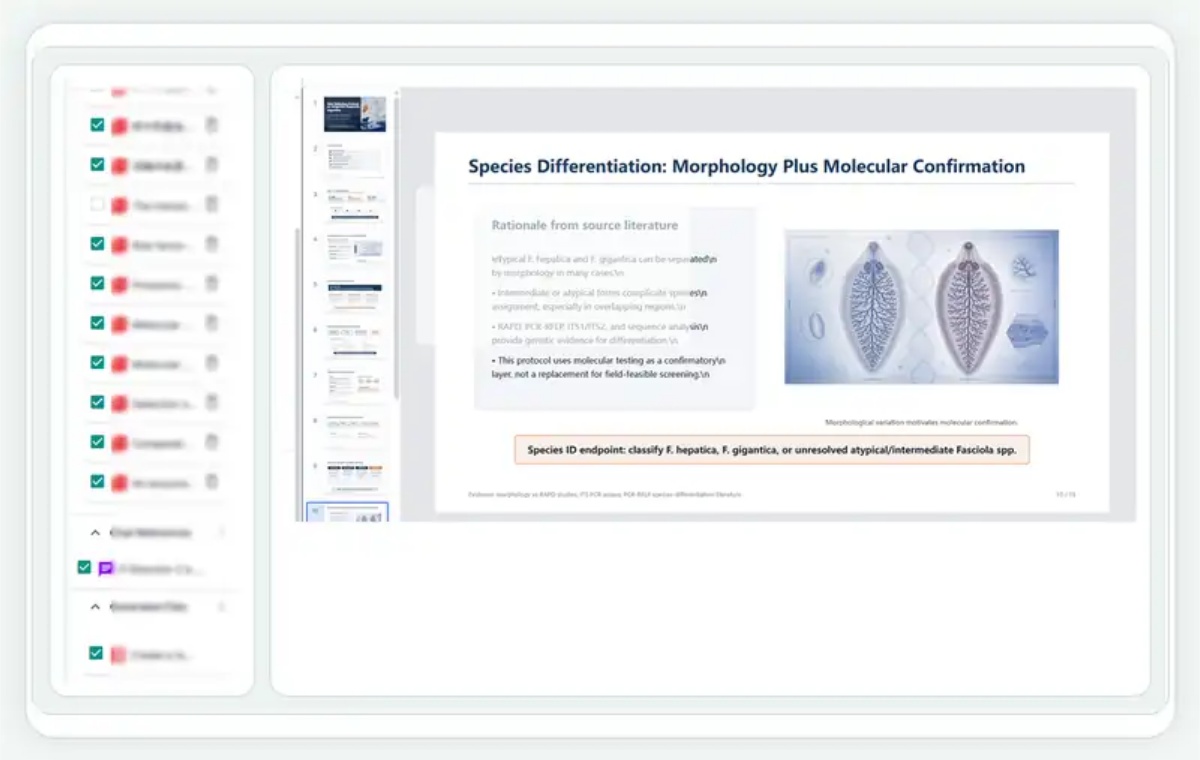
Set the purpose, audience, slide count and template, then edit the generated structure before full generation.
BUILT FROM YOUR SOURCES
Choose the materials that belong to this presentation instead of letting an agent treat every upload as equally relevant.
TEXT ALONE IS NOT A PRESENTATION
Existing project assets can be reused. Missing visual explanations can be built from the same project context.
Bring an approved scientific figure into the correct slide instead of recreating it.
Use selected tables and results where a chart communicates faster than paragraphs.
Convert methods, stages or relationships into a roadmap or structured diagram.
EDIT THE ACTUAL SLIDE
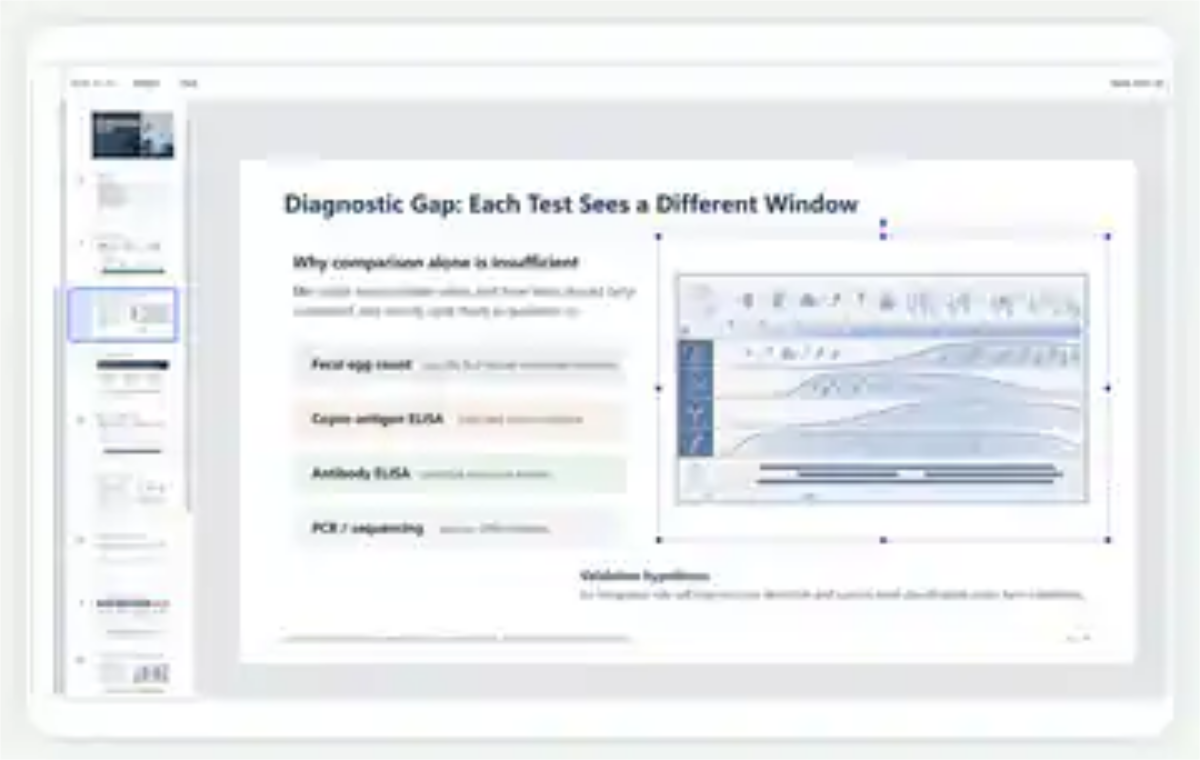
The real editor exposes slide thumbnails, text controls and selection handles so supported objects can be moved, resized and revised directly.
EDIT THE PART THAT NEEDS EDITING
ONE CONTINUOUS WORKFLOW
Bring in papers, reports, data, images, existing slides and presentation requirements.
Choose a defense, research talk, course report, conference presentation or another real use case.
Adjust slide count, sequence, titles, emphasis, audience and speaking time before full generation.
Create slide content, visual placements, supporting figures and speaker notes from the selected materials.
Refine slide text, order, images and individual pages without restarting the whole presentation.
Download a standard PowerPoint file that remains editable after it leaves SciNest.
NOT ALL “PRESENTATION GENERATORS” DELIVER THE SAME THING
| Capability | Image / PDF tools | HTML slides | General AI agent | SciNest |
|---|---|---|---|---|
| Standard editable PPTX | Usually no | Conversion can break | Usually content only | Yes |
| Editable text and elements | No or limited | Mostly inside browser | You rebuild the slides | Yes |
| Uses selected materials | Unclear | Varies | May miss sources | Source-bound |
| Editable outline | Limited | Sometimes | Text outline only | Before generation |
| Visual planning | Page image | Varies | Separate work | Built into slide plan |
| WYSIWYG export | Fixed but flattened | Often changes | Not applicable | Preview matches slide structure |
| Targeted revision | Regenerate page | HTML constraints | Regenerate text | Edit a page or selected content |
BUILT FOR REAL DELIVERY
YOU REMAIN IN CONTROL
FAQ
Yes. The final output is a standard .pptx file that can be opened, presented and continued in Microsoft PowerPoint, WPS and compatible software.
No. Titles, text, images and supported slide elements remain structured for editing instead of being flattened into a single page image.
Yes. You can review and adjust the number of slides, order, titles and emphasis before generating the presentation.
You choose which project materials belong to the current task. SciNest builds the outline and slides from the selected materials rather than treating every file as equally relevant.
Yes. Existing project images and scientific figures can be reused in the presentation where supported by the current version.
Yes. You can continue refining the outline, slide order, titles, body copy, visuals and speaker notes before exporting.
STOP GENERATING CONTENT THAT STILL NEEDS TO BECOME A PRESENTATION