The chat-window scramble
- 01Copy-paste between chat windows
- 02Lose context after a few exchanges
- 03Regenerate the entire output for one change
- 04Re-explain the same research to every new AI
- 05End up with disconnected fragments
📱 SciNest is a Windows desktop app — visit this page on a computer to download.
WINDOWS DESKTOP · BRING YOUR OWN API KEY · CHATGPT, DEEPSEEK, CLAUDE
Upload once into your free AI academic writing workspace. Choose ChatGPT, DeepSeek or Claude — and take every project from draft to done. Start free.
✓ Start free · ChatGPT, DeepSeek, Claude — use the model you prefer
💡 .zip file — extract and run SciNest.exe. If you downloaded the .exe version, click More info → Run anyway to install safely.
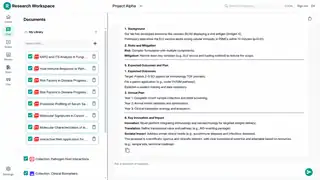 01 · Bring in the existing work05 · Export and keep working
See SciNest in 30 seconds
NO RE-EXPLAINING. NO TOOL SWITCHING.
UPLOAD ONCE. WORK TO COMPLETION.
Add papers, references, notes, drafts, feedback, data and images — anything that belongs to the task.
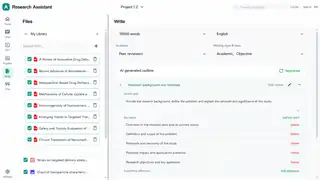
Set the structure before generating. Chapters for a paper. Slides for a deck. Panels for a diagram. Change it anytime.
Choose your AI provider — ChatGPT, DeepSeek or Claude. The workspace generates a full connected draft, not a disconnected chat reply.
A supervisor comment on chapter 3? Fix just that section. A typo on one slide? Edit that slide. A label on a diagram? Change it.
Standard .PPTX, document or image export. The output is yours — open it, present it, submit it.
HOW TO USE YOUR AI KEY
QUALITY OUTPUT. NO REWORK.
Keep the current draft, papers and supervisor feedback inside one project.
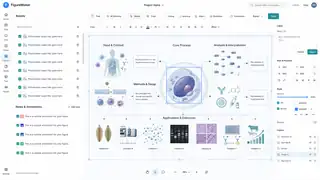
Turn methods, mechanisms and relationships into scientific visuals.
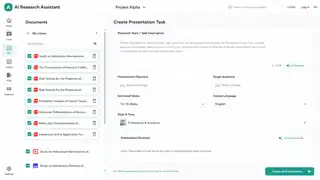
Build the presentation around contribution, evidence, audience and time limit.
NO FRAGMENTS. ALL IN ONE PLACE.
The value is keeping sources, writing, figures and slides connected instead of rebuilding the same research context.
Sources, notes, feedback, writing, figures, slides and citations remain organised around the same task.
Both plans allow unlimited generation through the AI model you prefer.
Project files and outputs stay local by default. AI tasks are sent to the provider you configure.
FREE TO START · PRO WHEN YOU NEED TO FINISH
For occasional work and one active project.
Free
For continuous coursework, thesis work and multiple projects.
$9/mo · $49/yr
AI usage is billed directly by the model provider you choose.
Download SciNest Free for Windows. Create an account, add your AI API key, and open your first project.
Multiple projects, watermark-free scientific figures, layer editing, and editable PowerPoint export.
No. Free and Pro both allow unlimited SciNest generations. Your selected AI provider charges separately for actual API usage.
With DeepSeek: drafting a complete 10,000-word paper — from your uploaded sources to a finished draft — costs about ¥0.3 (roughly $0.04) in API fees. That's what you pay DeepSeek directly. SciNest Free takes zero cut — we built the workspace, you cover a few cents of API cost. No markup, no generation cap, no catch. With ChatGPT for presentations and figures: a complete 10-slide defense deck with embedded figures costs less than $0.50 in combined API fees. The output is standard .pptx — it works everywhere, no broken layouts, no presentation-day surprises. Text labels are independent layers — edit wording, swap images, adjust positioning right in SciNest. No regeneration needed. No garbled AI text. You choose the model. You pay the provider directly at cost. No middleman markup.
Yes. Your project files stay on your computer by default. When you run an AI task, only the content needed for that task is sent to the model provider you've chosen. We never store your papers or use your work to train AI.
AI can make mistakes. You are responsible for reviewing and verifying your work.
No complex prompts. No tool switching. No re-explaining. Start free.
Download SciNest Free ↗